
Is Power Query a powerful tool?
- Sreenivasan Chinnappan Rajendran
- Oct 13, 2022
- 2 min read

Updated: Oct 26, 2022
Let's start with what is Power Query
Power Query is a data preparation tool that transforms and manipulates the data as per the requirements of the data needs. Power query runs on an M language and also has a graphical interface for extracting data from sources and uses a power query editor to transform the data, power query editor records the actions performed into an M code in the background and can be accessed through an advanced power query editor. power query can carry out the ETL process for processing the data.
Power Query uses:
Power Query is used by Microsoft products, the purpose of power query is to provide a user-friendly interface so that any user can simply perform the transform and load the data to the destined interface. The power query editor has a wide range of sources to extract the data and transform by previewing the dataset, using the right transformation techniques. the power query interface is not limited to interaction in the GUI, and also records the transformation action through M code where both Developers and non-developers can use the interface.
PowerQuery is available in Online and Desktop applications.

Power Query Desktop:
Data Sources:
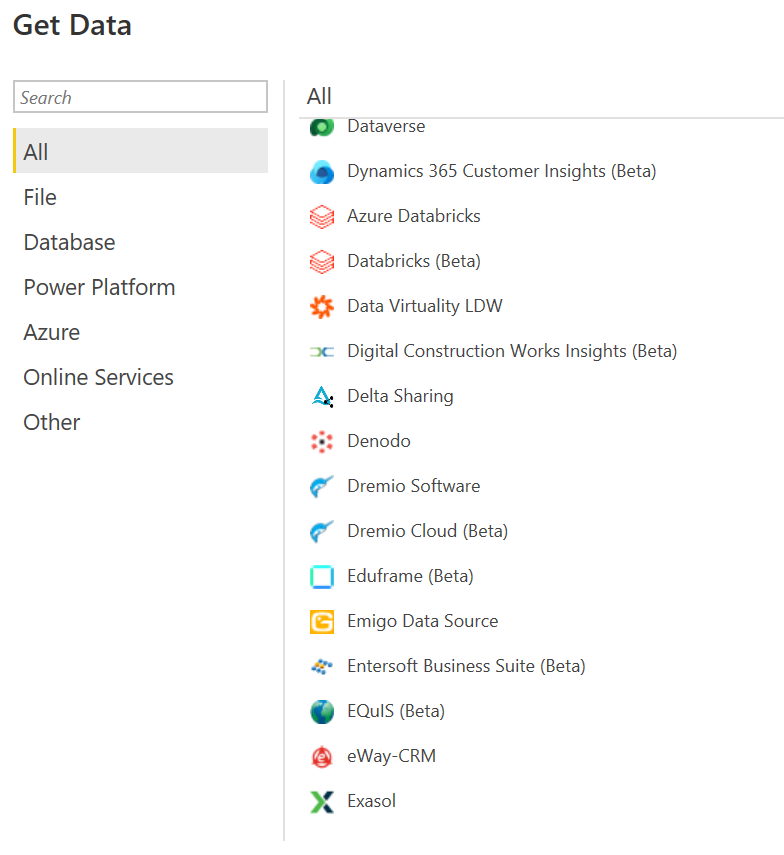
Power query has a lot of data sources of all shapes and sizes, some of the data sources are Dataflows, Excel workbooks, Databases, Web, blank query, Dataverse, Azure, etc. Data scraping using M code is possible in the power query. with this wide range of sources, any data can be transformed as per the requirement. below shows some example data connectivity platforms.
Transformation:
Data Transformation in power query has many built-in transformation functions that can be accessed through the graphical interface of the power query editor, some of the built-in functions can perform simple actions such as removing filters, appending columns, changing data types, formatting, adding columns, etc. All these transformations can be accessed in the Menu of the Power Query editor, below shows some of the options available for transformations in the power query editor.



Instead of using an in-built function, Power Query M Language can also be used for defining the custom functions. using the advanced query editor we can access the script of the query and change it as per our requirement. We can use the M script to fine-tune the existing function and transformations. below shows an example of the code.

Dataflows:
Power Query is used in many products of Microsoft such as Power BI and Excel, but has limits within the products. whereas Dataflows is a data exchange service to other software ( runs on the cloud), where we can get any type of file and transform data in the same way as Power BI or Excel, but the output of the data transformation is stored in online data storage like Dataverse or Azure Data Lake Storage. we can also use the output of Dataflows in other products and services.

Conclusion:
Power Query is an easy and simple interactive tool for pre-processing of data, learning power query can help us interact with multiple products and services automating the workflows will become easier on a higher level with its graphic user interface and M code, learning M code is easier and using M-code, creating custom functions gives additional flexibility for any user from Developer to non-developer to fine-tune the built-in functions using M code.


Comments